|
The Portable Graphics Library uses a simple, object-oriented graphics model that is ideal for students in an introductory programming course. The library has been implemented for a variety of languages and platforms, including C, C++, Java, JavaScript, and Python. Using a common graphics model across a wide variety of platforms makes it much easier to translate graphical applications from one language to another, which in turn enables better sharing of assignments and other pedagogical tools.
This page describes the Portable Graphics Library using Python.
The underlying model for the Portable Graphics Library is that of a
collage.
The GWindow class implements a graphics window that serves
as the background plane.
Programs then assemble an image on the screen by adding graphical
objects—each of which is an instance of one of the GObject
subclasses—on top of the GWindow.
The fact that the library uses the collage model means that each new object is placed on top of any existing objects and may obscure them. The order in which objects appear in the window is called the stacking order.
The following code snipped illustrates the graphics model by creating
a window and then adding a GRect object that draws a
rectangle:
    gw = GWindow(500, 300)
    rect = GRect(150, 50, 200, 100)
    rect.setFilled(True)
    rect.setColor("Blue")
    gw.add(rect)
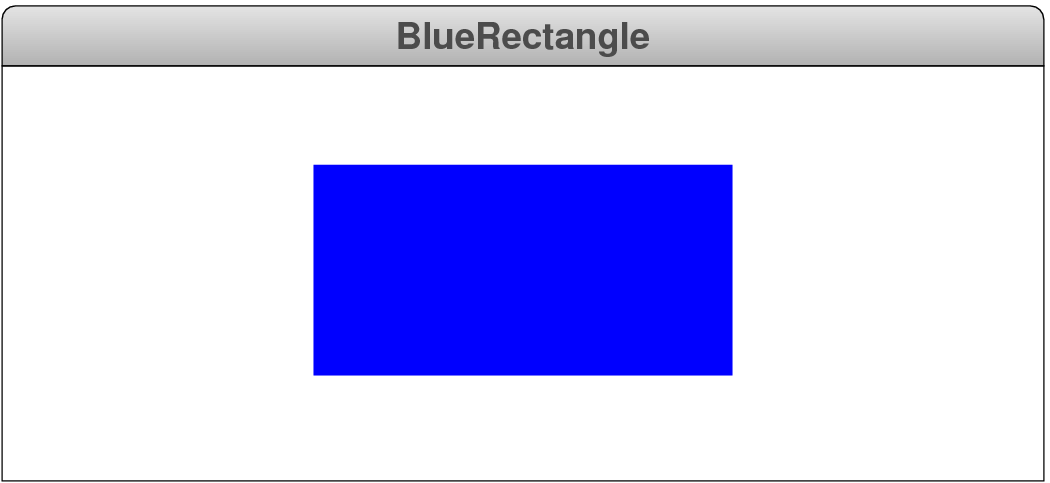
This program produces the following screen image:
The coordinates in the program are measured in pixels,
which are the tiny dots that cover the face of the display.
The call to GWindow therefore creates a new
GWindow object that is 500 pixels wide and 200 pixels high.
That object is then assigned to a variable named gw, which
makes it possible for the program to refer to the window in the rest of
the code.
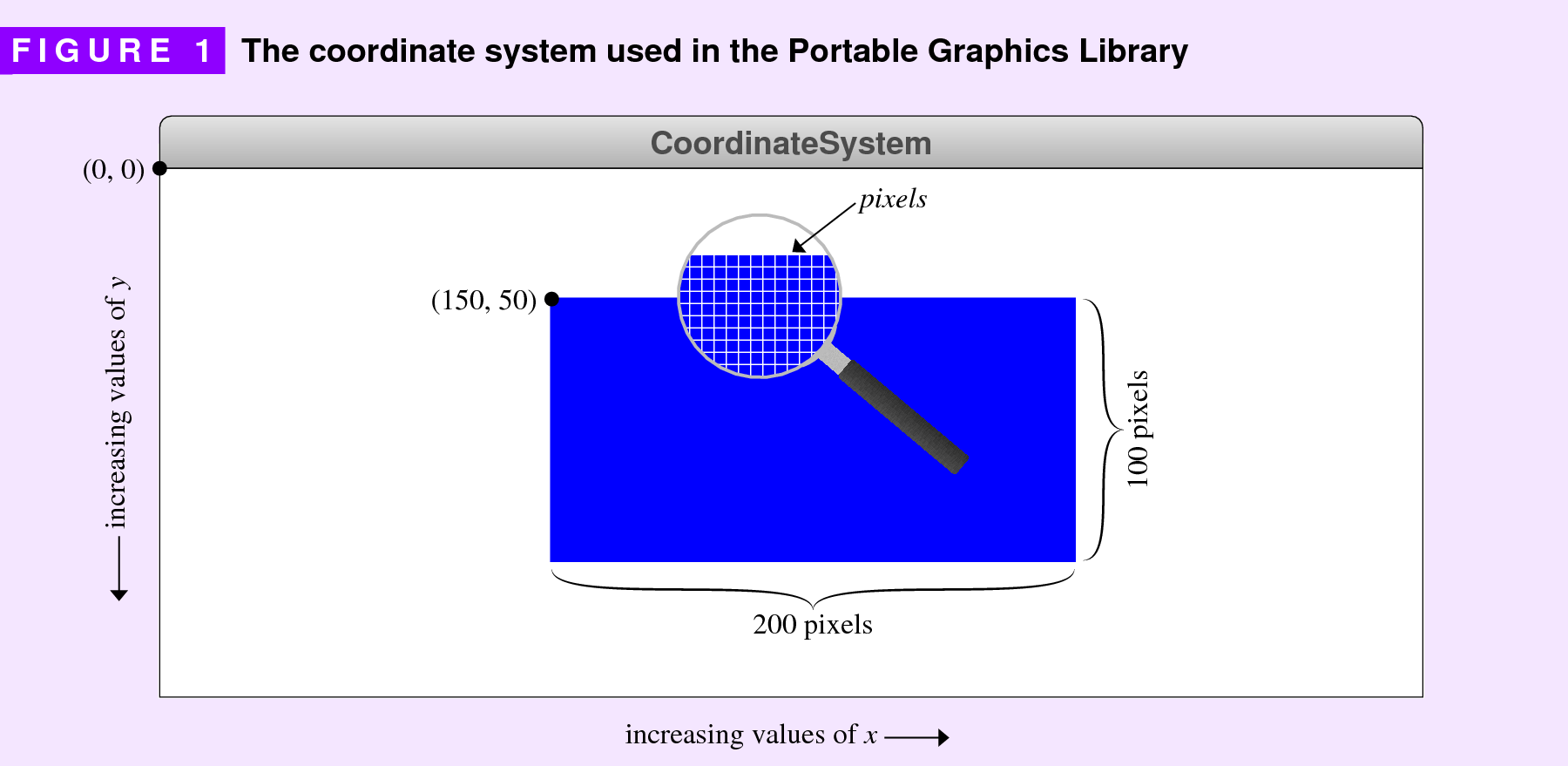
In keeping with the standard conventions used in computer graphics,
the origin of the coordinate system is in the upper left corner, which
represents a change from the traditional Cartesian coordinate system.
Values for the x coordinate increase as you move from left to
right, just as in traditional mathematical usage.
Values for the y coordinate, however, increase as you move
from top to bottom.
For the most part, individual graphical objects use a consistent model
in which their position on the screen corresponds to the coordinates of
their upper left corner.
The GRect object, for example, is created by the line
rect = GRect(150, 50, 200, 100)
which positions the rectangle so that its upper left corner is at the point (150, 50) relative to the upper left corner of the window. The rectangle itself is 200 pixels wide and 100 pixels high. This geometry is illustrated in Figure 1.
The code snippet that creates the image of the rectangle also
illustrates the process of setting properties of the GRect
object.
By default, a GRect object appears only as an outline.
The method call
rect.setFilled(True)
changes the properties of the rectangle so that its interior is filled.
Colors in the Portable Graphics Library are specified using strings,
which are either a CSS color name
(see https://www.w3.org/TR/css-color-4 for a list)
or a string in the form "#rrggbb",
where rr, gg, and bb, are each two hexadecimal
digits giving the red, green, and blue intensities of the color.
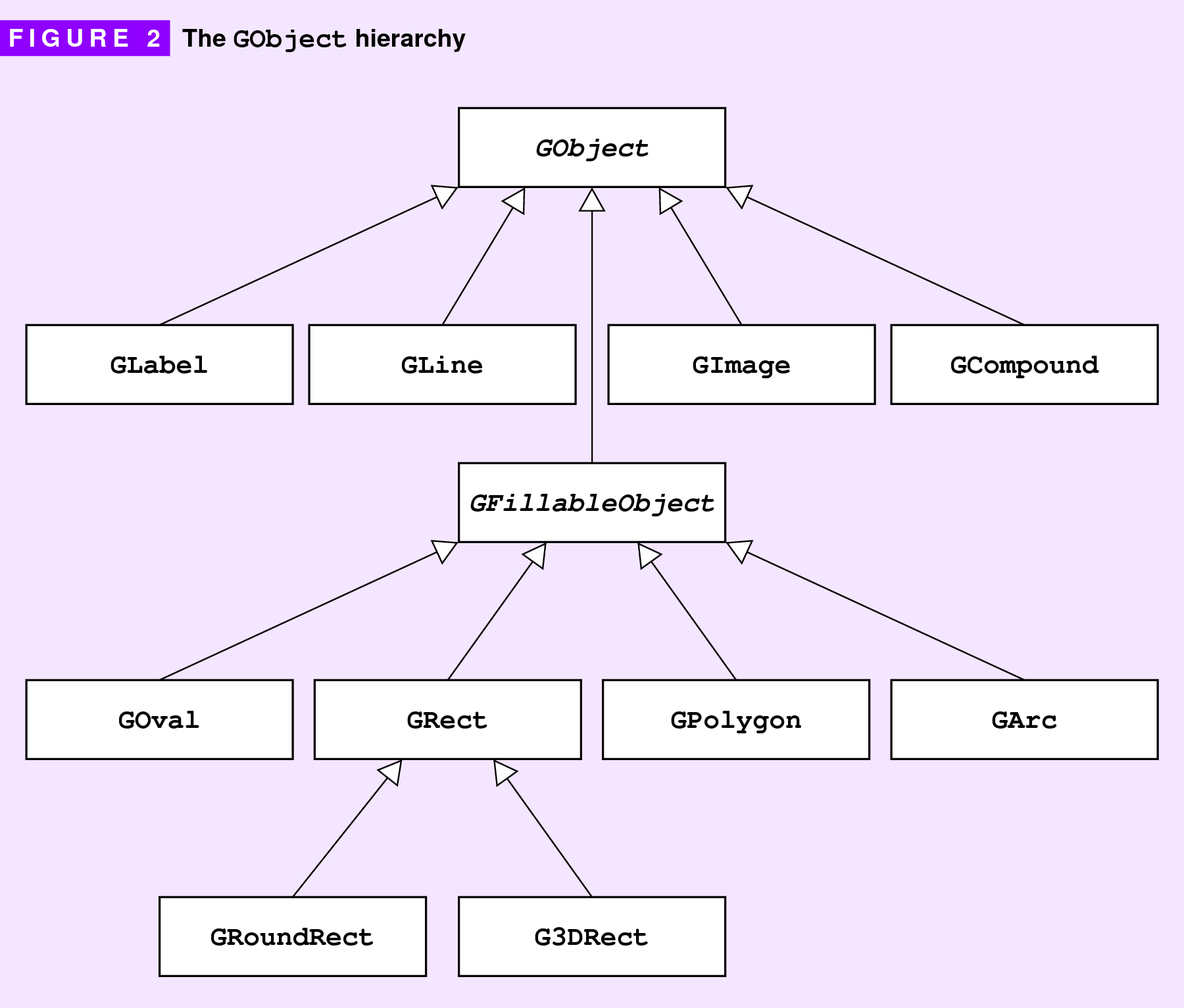
GObject.
The classes in the GObject hierarchy appear in Figure 2.
| Class Summary | |
|---|---|
G3DRect |
This class is a GRect whose
borders can be modified to suggest being raised or lowered. |
GArc |
This class displays an elliptical arc. |
GCompound |
This class defines a graphical object that consists of a collection of other graphical objects. |
GDimension |
This class encapsulates a size containing a width and a height. |
GFillableObject |
This abstract class unifies the GObject subclasses that support filling. |
GImage |
This class displays an image from a file. |
GLabel |
This class displays a text string. |
GLine |
The class displays a line segment. |
GMath |
This class defines a variety of mathematical methods that are useful in graphical applications. |
GObject |
This abstract class is the common superclass of all graphical objects. |
GOval |
This class displays an ellipse. |
GPoint |
This class encapsulates a location combining an x and a y coordinate. |
GPolygon |
The class displays a polygon. |
GRect |
The class displays a rectangular box. |
GRectangle |
This class encapsulates the location and dimensions of a rectangle. |
GRoundRect |
This class is a GRect with rounded corners.
|
GWindow |
This class represents the drawing surface to which individual objects are added. |
|